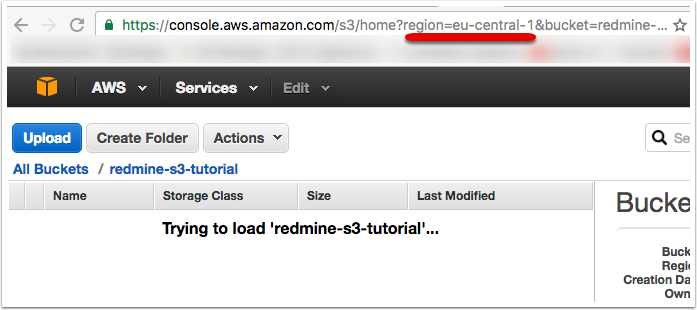
Creating and configuring the Amazon S3 bucket
Open the S3 management console

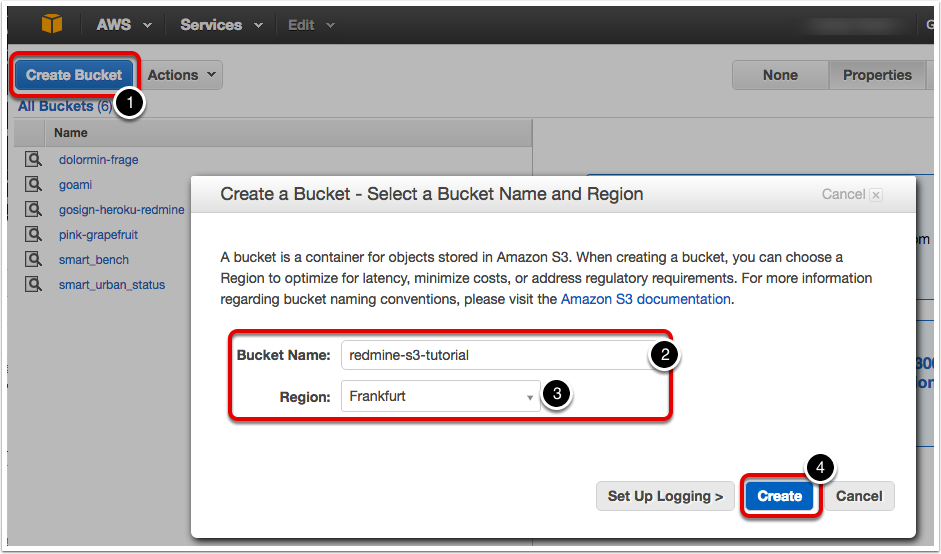
Create a new S3 bucket with a recognizable name
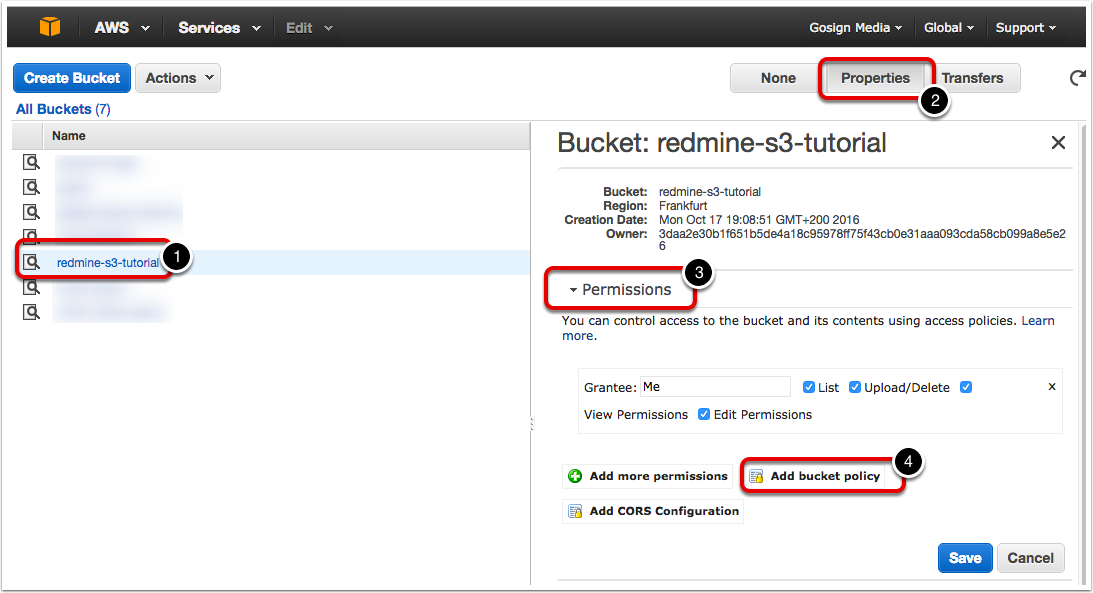
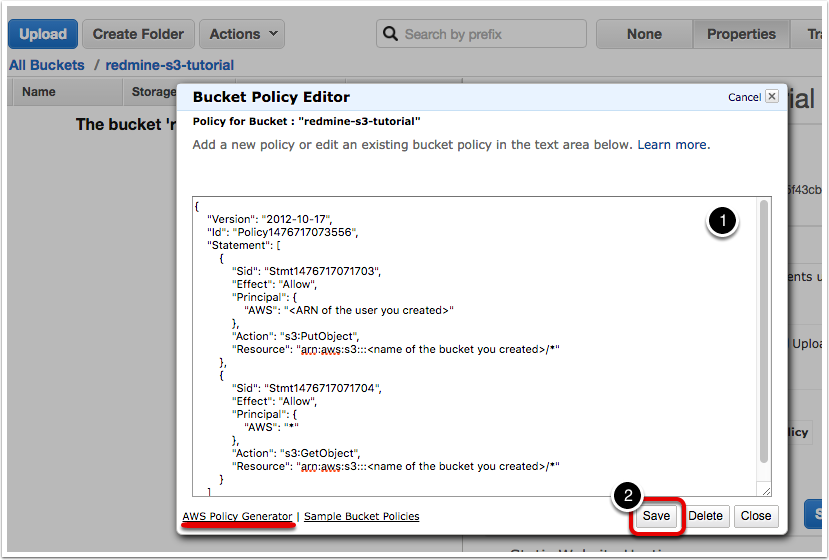
Open the permission settings of the newly created bucket and create a new bucket policy
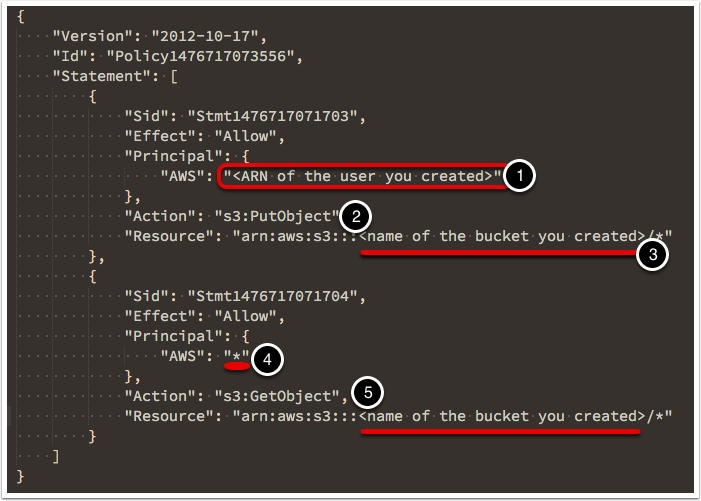
The bucket policy explained
A bucket policy contains a number of statements which allow or disallow certain actions. For this configuration, we’ve used two statements. The first statement grants permission to the created user to put objects into the bucket, and the second statements allows everyone (i.e. anonymous access) to retrieve an object from the bucket if they know the URL.
- This needs to be replaced with the ARN of the user. If you don’t know what this is, check out the user creation guide
- Here we grant the permissions to write objects
- And we limit that permission to the relevant bucket
- This grants the permissions to everyone
- And the relevant permissions is to retrieve an object
{
    "Version": "2012-10-17",
    "Id": "Policy1476717073556",
    "Statement": [
        {
            "Sid": "Stmt1476717071703",
            "Effect": "Allow",
            "Principal": {
                "AWS": "<ARN of the user you created>"
            },
            "Action": [
                "s3:PutObject",
                "s3:DeleteObject"
            ],
            "Resource": "arn:aws:s3:::<name of the bucket you created>/*"
        },
        {
            "Sid": "Stmt1476717071704",
            "Effect": "Allow",
            "Principal": {
                "AWS": "*"
            },
            "Action": "s3:GetObject",
            "Resource": "arn:aws:s3:::<name of the bucket you created>/*"
        }
    ]
}
Add the bucket policy
Let’s add the policy explained above. If you’re curious you can also use the policy generator to create one yourself.
Keep note of the identifier for the region in which the bucket was created